
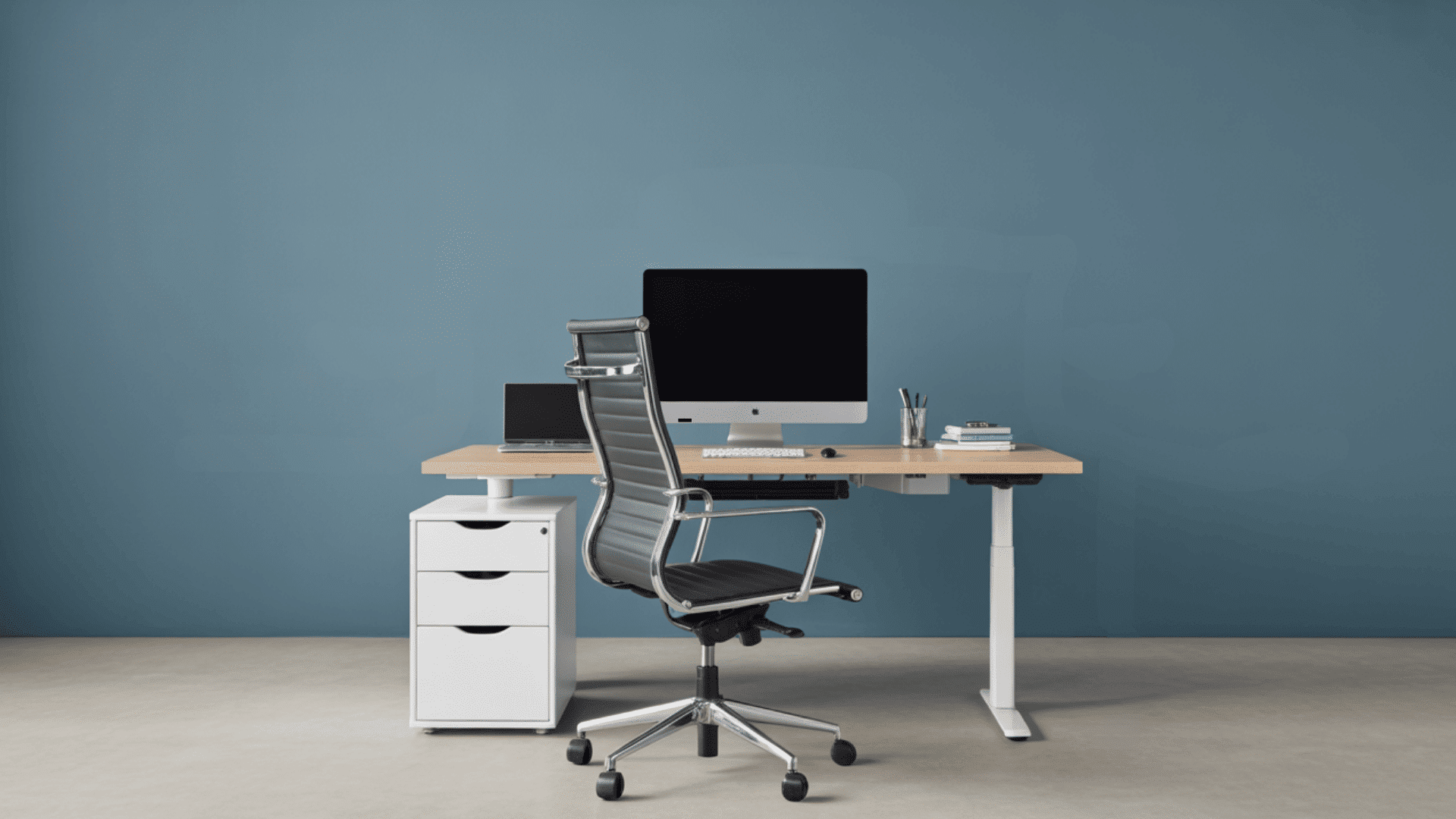
Finding the right desk height has always been important to me because it affects how comfortable I feel during long work hours.
When the height is off, I feel more strain in my shoulders, wrists, and back, and staying focused becomes harder.
Over time, I learned that a good desk height does more than support posture. When I first started adjusting my workspace, I didn’t realize how much small changes could help.
A desk that feels comfortable for one person may leave another dealing with sore shoulders, tired wrists, or an aching back. The difference often comes down to desk height.
Even a few inches can affect posture, comfort, and how easily daily tasks get done. While standard desk heights work for many people, they are not the right fit for everyone.
My guide makes creating a comfortable workspace simple. You’ll find clear steps to check if your desk height suits your body and work style.
I’ll walk through standard desk heights, how to measure the right fit, and how to fix issues without buying new furniture.
My goal is to help you build a workspace that feels natural, supportive, and easy to use every day.
What is the Standard Desk Height?

The standard desk height is around 28 to 30 inches, which works well for most adults when sitting in a regular office chair.
This height keeps your arms at a 90-degree angle, which reduces strain on your shoulders and wrists.
It also helps your back stay supported because you’re not reaching up or down while typing.
Even though this range is common, it doesn’t fit everyone the same way. Your comfort depends on your height, the chair you use, and how you sit while working.
If your desk feels too high or too low, you may notice tension in your neck, lower back, or arms. A good fit should let your feet rest flat on the floor, and your elbows stay level with the desk surface.
If the standard height doesn’t feel right, small adjustments can make your setup much more comfortable.
How to Find the Right Height for You?
Finding the right desk height has always made a big difference in how relaxed I feel while working. I notice fewer aches when my chair, desk, and screen match my body’s natural posture. Before you touch a single setting, it helps to know how to measure your furniture so your numbers are accurate.
1. Check Your Arm Angle
Finding the right height starts with checking how the arms rest while working. The elbows should open comfortably, and the forearms should stay level with the desk.
When this alignment feels natural, the upper body stays relaxed and supported.
A desk that is too high creates tension in the shoulders, while a lower surface forces the wrists to bend.
Adjusting the chair height, seat depth, or desk setup helps create a smoother arm position. This first step sets the base for a comfortable and balanced workstation.
2. Align Your Legs and Feet
Leg and foot placement play a major role in setting the right desk height.
Feet should stay flat on the floor while the hips and knees rest at an easy angle. If the desk feels too high, raising the chair and adding a footrest can create better alignment.
When the legs sit comfortably, the lower back receives better support, reducing pressure over time.
This setup also prevents sliding forward or leaning back while working. Proper leg alignment helps the entire posture stay steady and supported throughout the day.
3. Position Your Monitor Correctly
Once the desk height feels comfortable, the next step is setting the monitor at the correct level.
The top of the screen should sit near eye height so the neck stays straight instead of bending downward or upward.
If the screen sits too low, it can add strain to the upper back. Raising the monitor with a stand or lowering the chair slightly can help achieve the right position.
With the screen aligned properly, the entire upper body stays more relaxed, making long work sessions easier and healthier.
4. Make Small Height Adjustments
The final step is making small adjustments to fine-tune the setup. Even minor shifts in height can change how the shoulders, arms, and lower back feel.
Adding a cushion, lowering the keyboard, or adjusting the chair helps improve alignment without replacing major furniture.
This step allows the workstation to match the body more closely, reducing strain through daily use.
A few minutes of adjusting can prevent discomfort throughout the day, leading to better focus and a smoother work experience.
If you’d rather skip the math, my desk height calculator does the work for you based on your own measurements.
Why “Standard” Doesn’t Fit Everyone?
The idea of a “standard” desk height does not work for everyone because people vary widely in height, body proportions, and work needs.
A typical desk height is designed around the average adult, but individuals who are shorter or taller may experience strain when using a fixed-height desk.
Arm length, torso length, and leg length also affect how comfortable a person feels when seated.
Someone with longer legs may find a standard desk too low, while someone with shorter arms may need a higher surface to keep the elbows at the correct angle.
Different tasks, such as typing, writing, or detailed design work, can also require different surface heights.
Without proper alignment, the shoulders, wrists, and back may take on extra pressure, leading to discomfort over time.
Since everyone’s body is different, adjustable setups offer better support than a fixed height.
Ergonomic Benefits of the Right Desk Height
Choosing the right desk height helps your body stay supported during long work hours. These ergonomic benefits show how a proper setup can reduce strain and improve comfort.
1. Better Posture Support
The right desk height helps your body stay in a natural position, which reduces strain on your neck, shoulders, and lower back.
When the desk isn’t too high or too low, your spine stays aligned and your arms rest comfortably.
This makes it easier to sit upright without forcing your body into awkward angles.
Over time, good posture support can help prevent common issues like stiffness, soreness, and fatigue that often show up during long work hours.
2. Reduced Shoulder and Wrist Strain
A proper desk height keeps your elbows at a relaxed angle and your wrists flat while typing.
This reduces pressure on the muscles and joints in your arms, helping you work comfortably for longer.
When your wrists stay level with the keyboard, you avoid bending them upward or downward, which can cause discomfort.
This setup also prevents your shoulders from lifting or tightening. Small height adjustments can make a big difference in reducing daily strain.
3. Improved Comfort During Long Hours
Working at the right desk height helps your body stay relaxed, making long hours feel easier and more comfortable.
Your arms, legs, and back all get proper support when the desk matches your body’s natural posture. This reduces the need to shift positions constantly or stretch to relieve tension.
A comfortable setup can improve your focus and help you stay productive.
With fewer physical distractions, your body feels less tired at the end of the day.
4. Better Alignment for Your Entire Workspace
A suitable desk height helps everything else in your workspace fall into place, including your chair, monitor, and keyboard.
When the desk sits at the right level, adjusting the rest of your setup becomes simpler.
Your screen can sit at eye level, your feet can rest flat on the floor, and your arms can move naturally while working. This creates a balanced workstation that supports your whole body.
Good alignment helps prevent discomfort and keeps you working comfortably for longer. For the full picture beyond desk height alone, see my ergonomic desk setup guide.
Sitting vs Standing Desk Heights
Sitting and standing desks each have ideal height ranges that help your body stay comfortable while you work. This quick comparison shows how both setups differ, so you can choose the one that fits your needs.
| Feature | Sitting Desk Height | Standing Desk Height |
|---|---|---|
| Purpose | Supports a relaxed seated posture | Supports an upright working posture |
| Body Position | Hips and knees remain level with feet on the floor | Spine stays long with shoulders relaxed |
| Arm Placement | Forearms rest comfortably with elbows slightly open | Arms stay loose with elbows at a soft angle |
| Wrist Alignment | Wrists sit flat without bending upward or downward | Wrists stay neutral while standing tall |
| Best For | Long typing sessions, focused seated work | Frequent movement, alternating tasks, and better circulation |
| Comfort Needs | Requires a supportive chair and proper foot placement | Requires a stable stance and relaxed shoulder position |
| Common Adjustments | Chair height, cushion support, and footrest use | Anti-fatigue mat, small posture shifts, balanced stance |
If you’re switching to standing sessions, my step-by-step guide to a DIY standing desk walks you through building one at the right height.
Fixing Common Desk Height Issues
Fixing desk height issues has always helped me feel more comfortable during long work hours. Small adjustments often make a big difference, and many fixes can be done without replacing the desk.
- Adjust the chair so the arms stay relaxed while working.
- Use a footrest to support proper leg and hip alignment.
- Add a keyboard tray to lower the typing surface.
- Raise the monitor to keep the neck in a neutral position.
- Use seat cushions to change height without replacing furniture.
With the right adjustments, daily work becomes smoother and far more comfortable. Try a riser desk if you want to switch between sitting and standing without buying a new desk
Conclusion
Finding the right desk height can make everyday work feel much easier, and small adjustments often lead to big improvements in comfort.
Once you understand how your arms, legs, and screen should line up, setting up a workspace that supports your body gets a lot simpler.
Sitting, standing, or switching between the two, the right height still matters more than any other part of your setup.
What’s your desk height struggle? Too high, too low, or just never quite right? Tell me about your setup in the comments.
Frequently Asked Questions
Can a Desk Be Too Low?
Yes. A desk that is too low can make you hunch your shoulders, bend your wrists, and lean forward, leading to neck, back, and shoulder discomfort over time.
How Do I Know If My Desk Height Is Correct?
Your desk height is likely correct when your feet rest flat on the floor, your elbows stay around a 90-degree angle, and your shoulders remain relaxed while working.
Should My Keyboard Be Higher or Lower Than My Elbows?
Your keyboard should be at or slightly below elbow height. This helps keep your wrists straight and reduces strain during long typing sessions.